
Release Notes 2026.3.15.0
Release 2026.3.15.0 adds managed API and database exports, Watch Dog project summaries, Bot provider-status feeds, broader permission-scoped AI access, and clearer, more resilient daily workflows.
File Manager API Exports
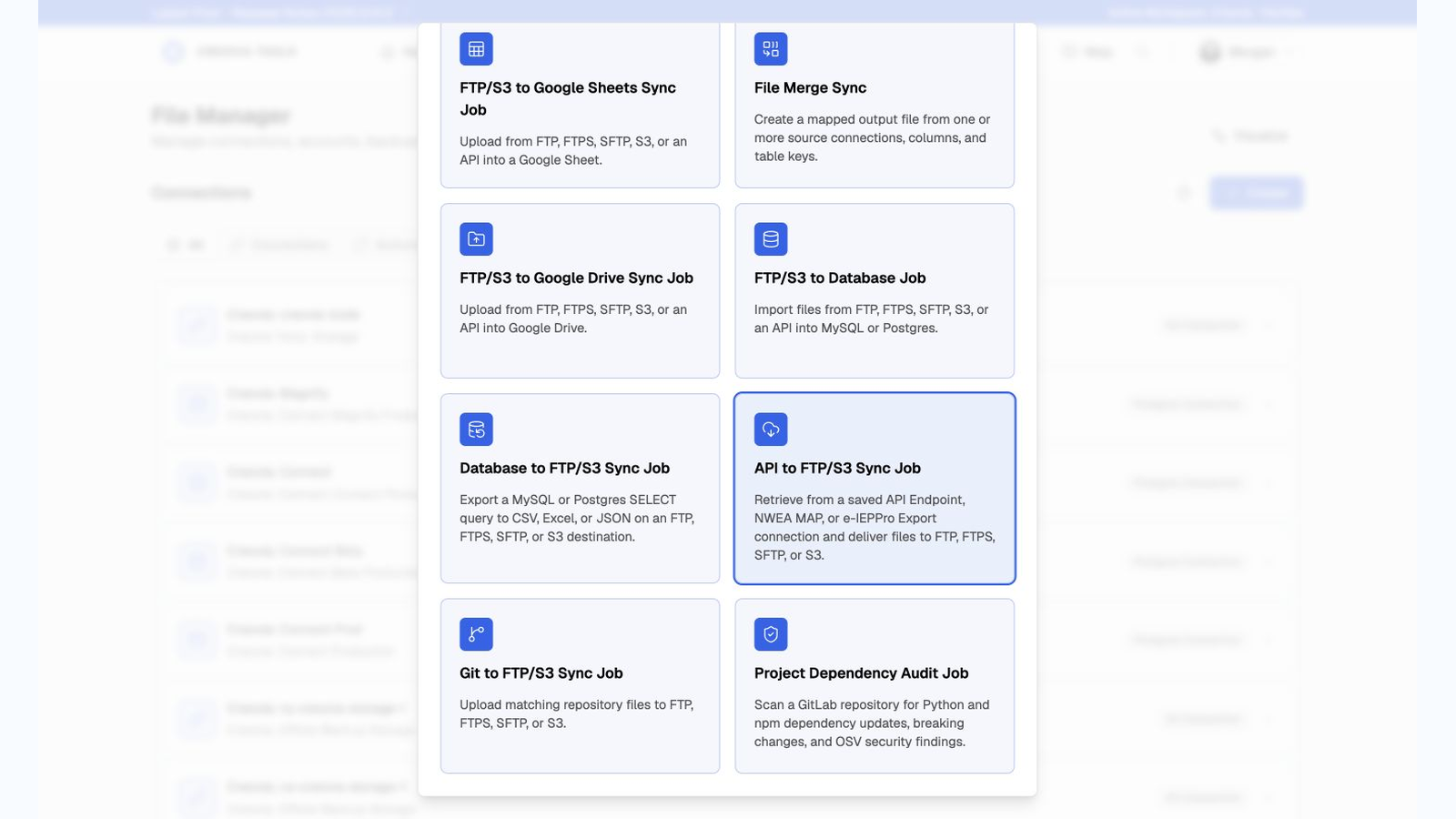
Bring more recurring reports into one managed workflow. File Manager can now retrieve saved API responses, monitor NWEA MAP exports, and collect selected e-IEPPro reports before delivering them to FTP, FTPS, SFTP, or S3. ZIP extraction, source folders, schedules, result emails, and unchanged-file skipping help each delivery arrive in the right place without duplicate work.
To use, go to File Manager > Sync Jobs > Create > API to FTP/S3 Sync Job.
Data Lenses and Database Exports
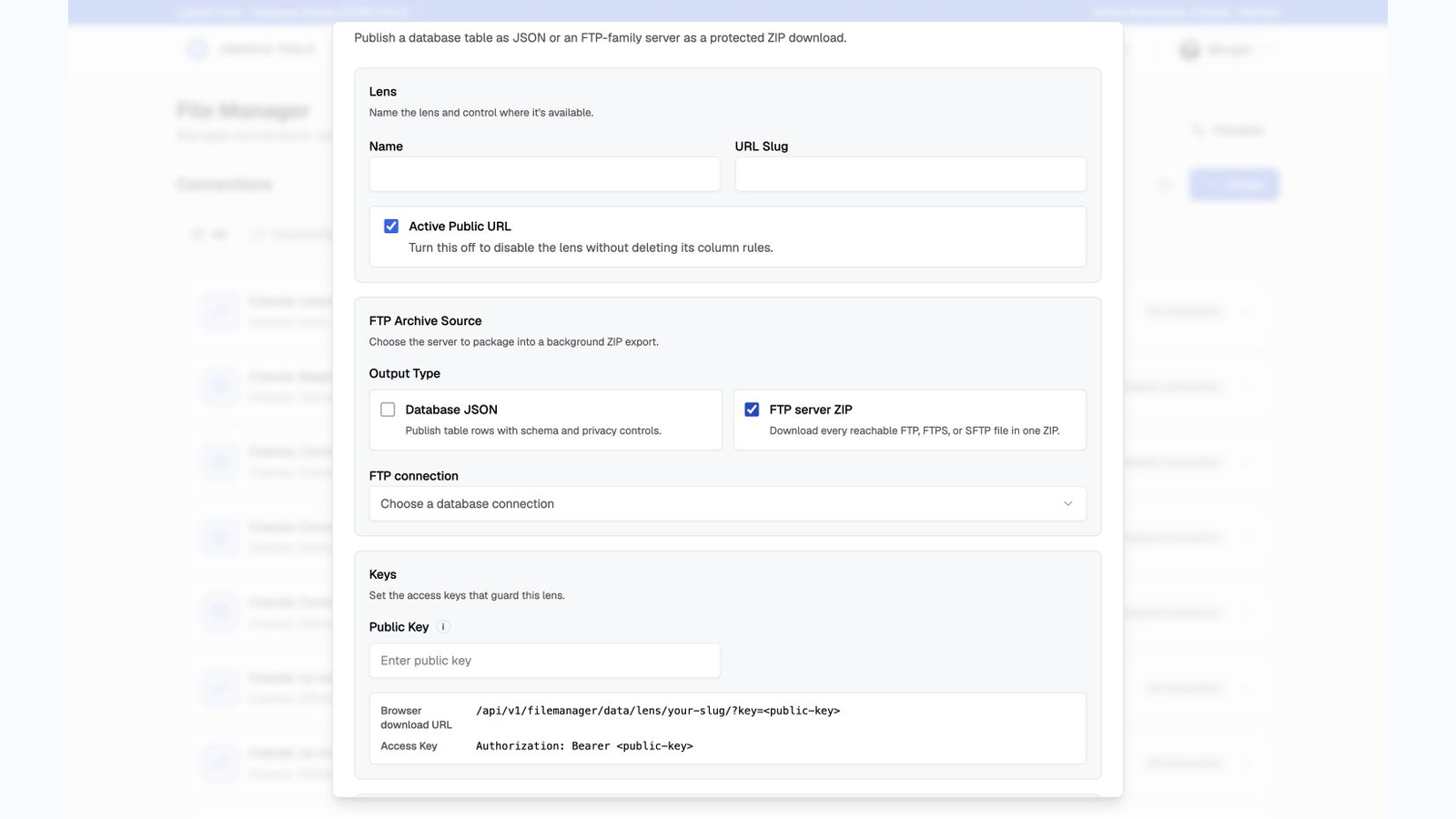
Move and share larger datasets with fewer manual steps. Data Lenses can package a protected FTP server as a browser-ready ZIP, database exports can be grouped into one bundle or delivered as UTF-8 text, and directory imports can combine files into one refreshed database table. New read-only query analysis also helps operators improve slow exports before the next scheduled run.
To use, open File Manager, then choose Data Lens or Sync Jobs.
Watch Dog Repo Summaries
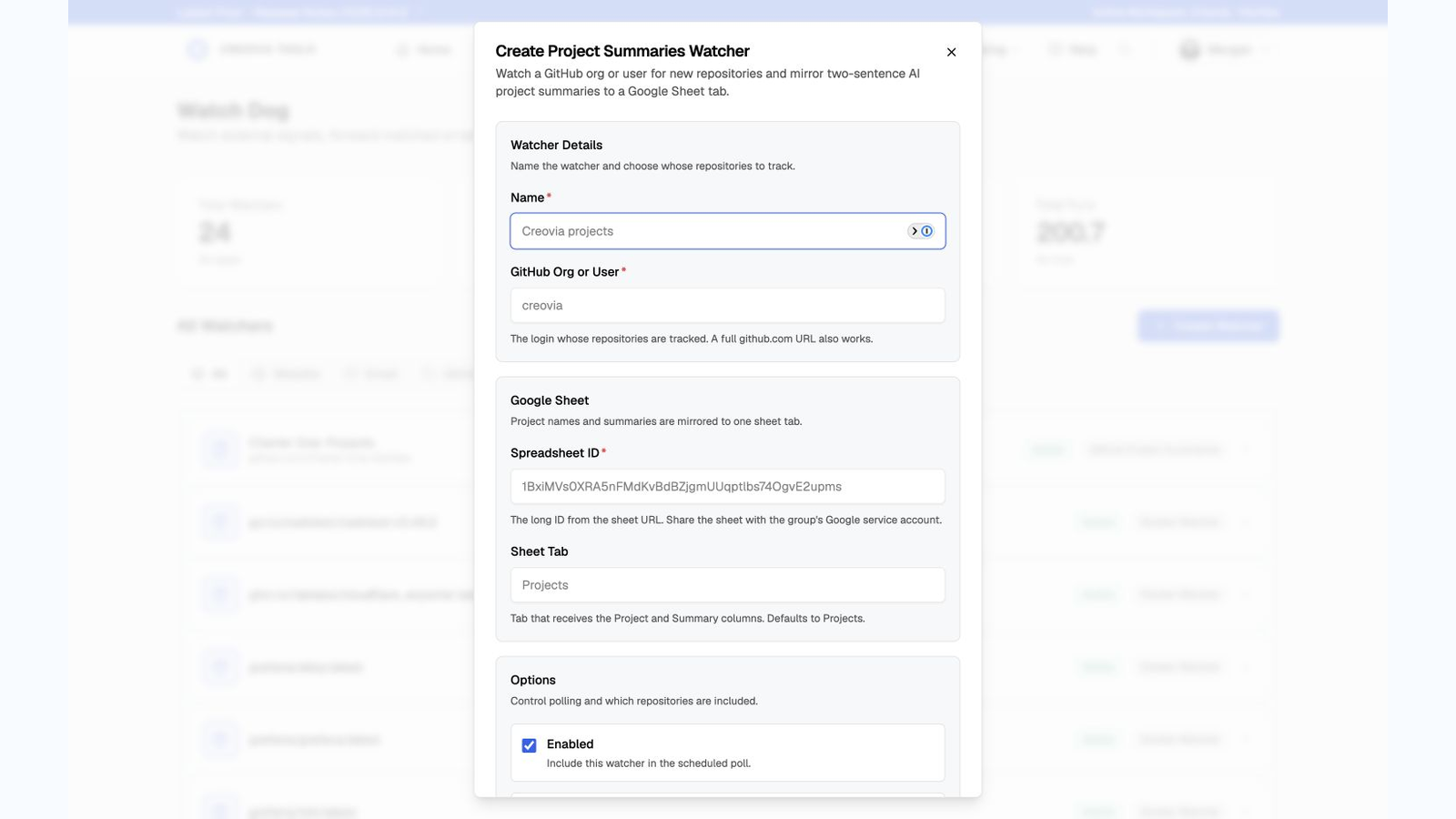
Turn a GitHub organization into a readable project catalog. Watch Dog discovers repositories, creates plain-English AI summaries and tech-stack descriptions, mirrors them to Google Sheets, and shows live progress through cloning, review, summary, and sheet delivery. Daily discovery and weekly change checks keep the catalog current without reprocessing unchanged projects.
To use, go to Watch Dog > Create Watcher > GitHub > Repo Summaries.
Bot Provider Status
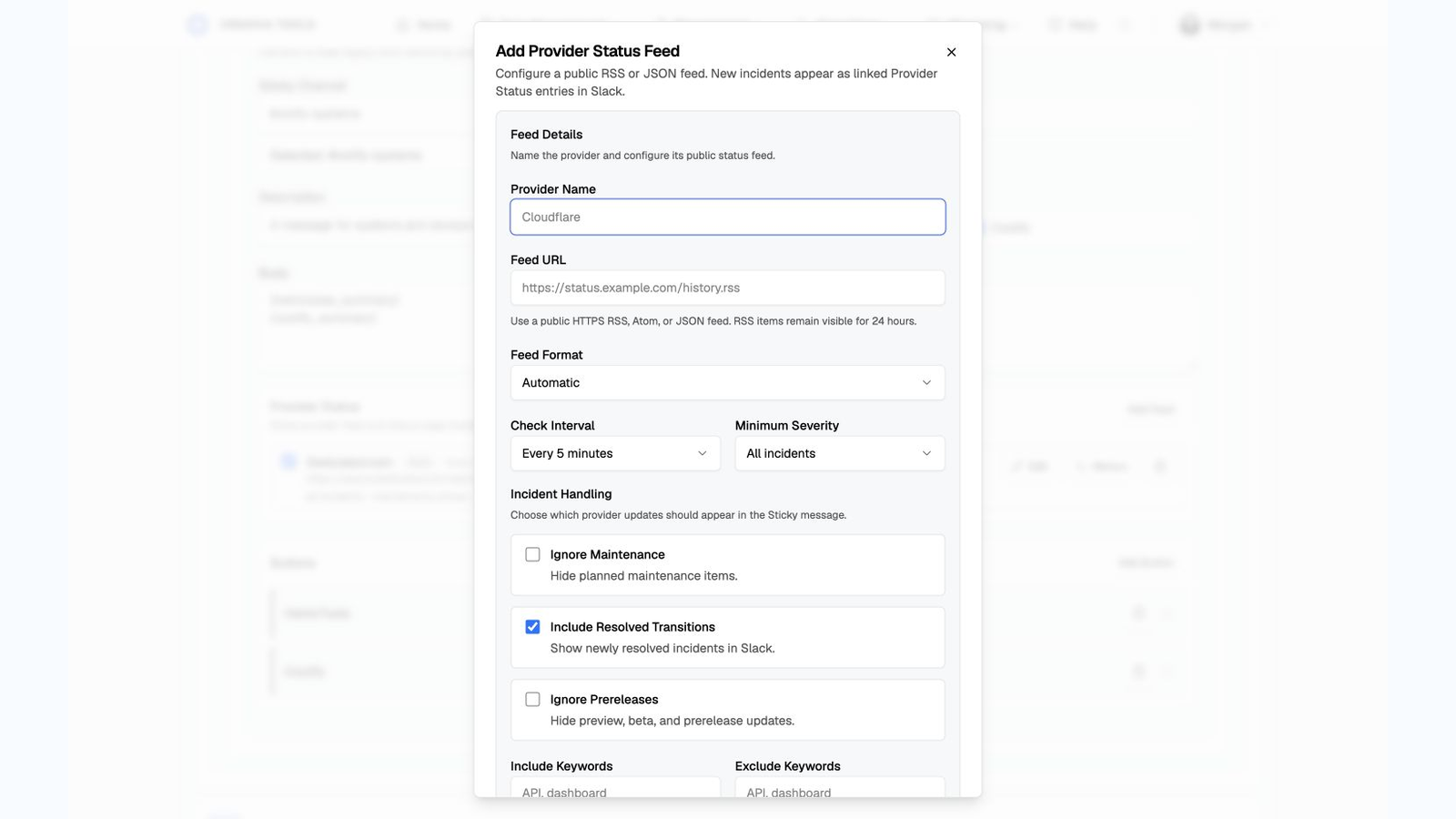
Bring vendor incidents into the same Slack status message your team already follows. Bot now supports common provider feeds, configurable schedules and filters, incident history, diagnostics, and clear new, changed, ongoing, and resolved states. Saved feeds can be tested and edited without rebuilding the Sticky message.
To use, go to Bot > Sticky Messages > Provider Status.
Secure AI Client Access

Supported AI clients can securely discover and read more of Creovia Tools through the authenticated MCP connection. Coverage now reaches module records, automation status, run history, reports, dashboards, and other permission-scoped data while keeping credentials, private payloads, and cross-workspace information out of responses.
Manage access from your Creovia Tools profile and approve only the requested permissions during connection.
Everyday Polish and Reliability
Everyday work is clearer and steadier across Tools. Dialogs, field guidance, titles, timestamps, and status messages are more consistent; File Manager run history updates in place; XL Compare row details stay interactive; and public Maps, calendar feeds, scheduled work, and saved connections recover more gracefully from short-lived interruptions.
Release Summary
- File Manager adds managed API exports for saved endpoints, NWEA MAP, and e-IEPPro, with flexible delivery, extraction, scheduling, and result notifications.
- Data Lenses and database automations add protected FTP archives, ZIP bundles, UTF-8 text exports, directory-to-table merges, and read-only query guidance.
- Watch Dog adds AI-powered Repo Summaries with GitHub discovery, live progress, tech-stack descriptions, Google Sheets delivery, and change-aware refreshes.
- Bot adds configurable Provider Status feeds, incident diagnostics, history, and clearer Slack status updates.
- Creovia Tools MCP expands secure, permission-scoped access to more module records, automation history, reports, and dashboards.
- Shared interface polish, live run updates, and targeted recovery improvements make daily workflows easier to follow and more resilient.