
Release Notes 2026.3.14.0
A broad visual release introducing guided XL Compare reconciliation, interactive map views, richer quote follow-up, Slack team tools, File Manager automation mapping, Systems Bridge observability, Activity Manager history, and OAuth-secured MCP access. It also brings clearer mobile navigation, auto-saving profile settings, local timestamps, smoother table scrolling, and easier support with actionable error codes.
XL Compare Reconciler
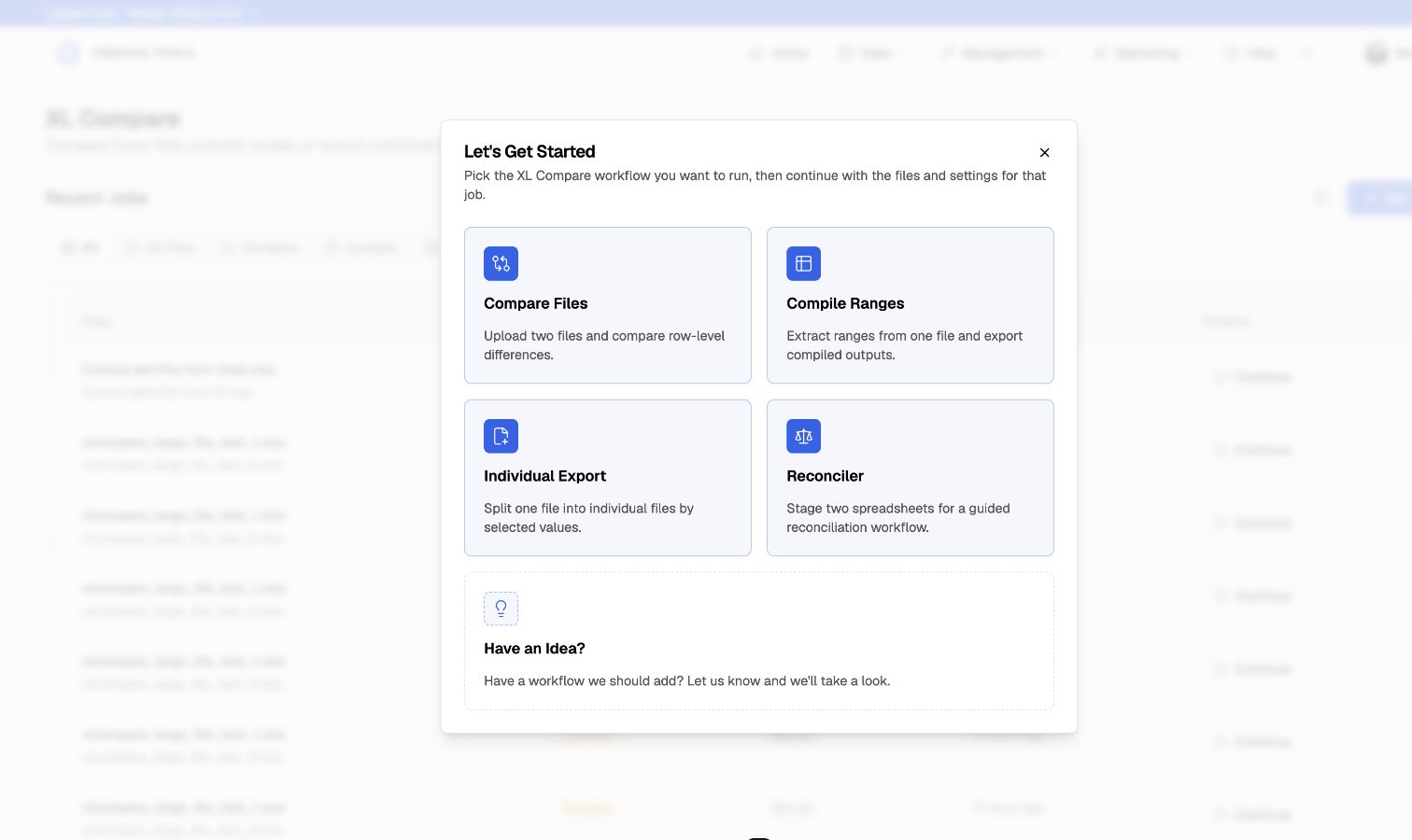
Reconcile State and SIS spreadsheets in one guided workflow. Map related columns, choose a record key, filter values, save team templates, and export only the rows you need. CSV files now work across XL Compare too.
To open, go to XL Compare > Get Started > Reconciler.
Saved Map Views
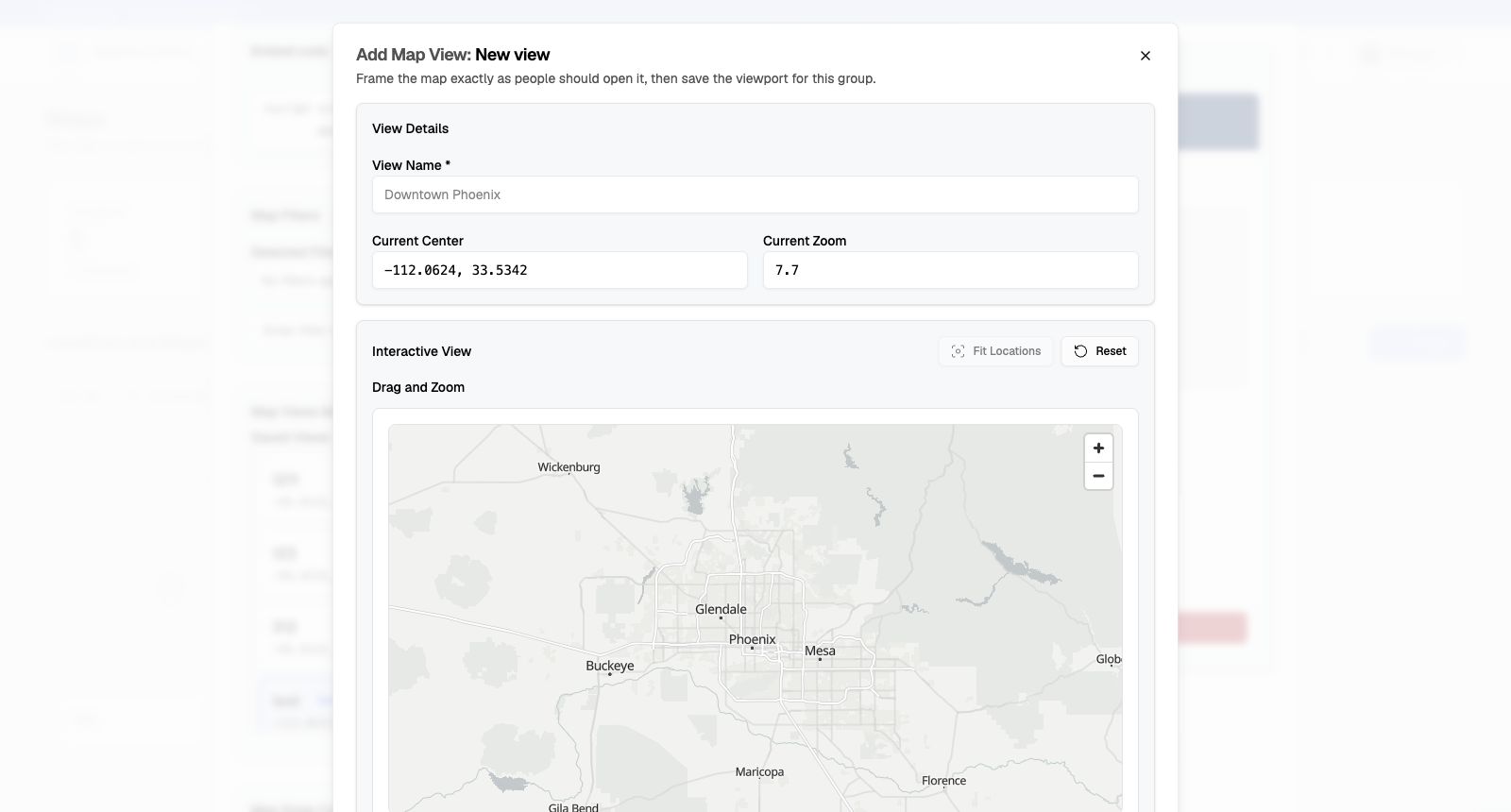
Frame saved map views visually by dragging and zooming to the right area, previewing the result, and saving it for the team. You can also choose coordinates directly on the map and copy a ready-made embed.
To use, open Maps, edit a map, then choose Add View.
Quote Follow-Up
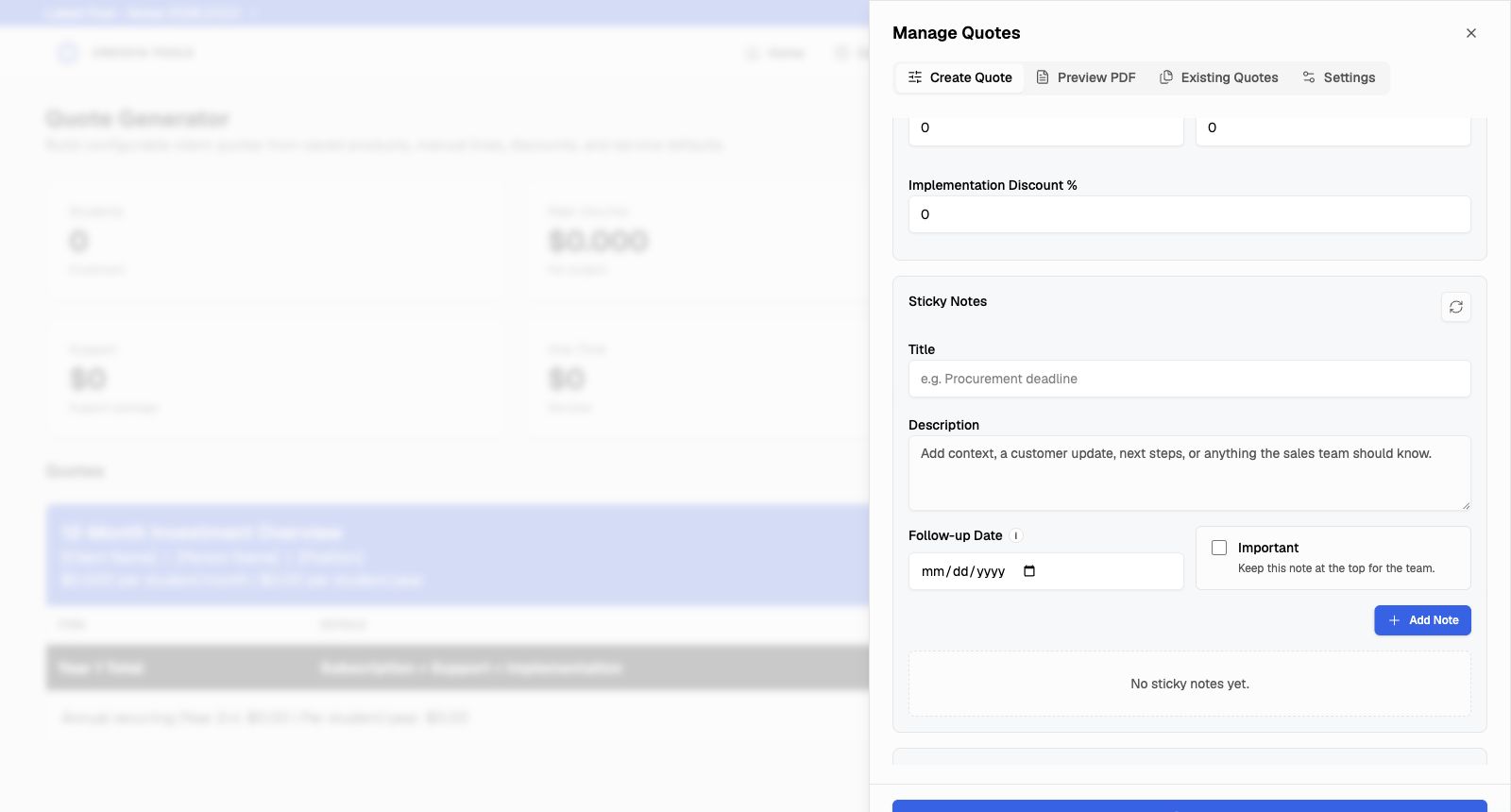
Keep titles, next steps, Important items, owners, and follow-up dates beside each quote with Sticky Notes. Quote Generator also adds reusable proposal templates, one-time, monthly, or yearly pricing, and proposal checks before PDF export.
To use, open Quote Generator, then open the quote setup workspace.
Slack Team Tools
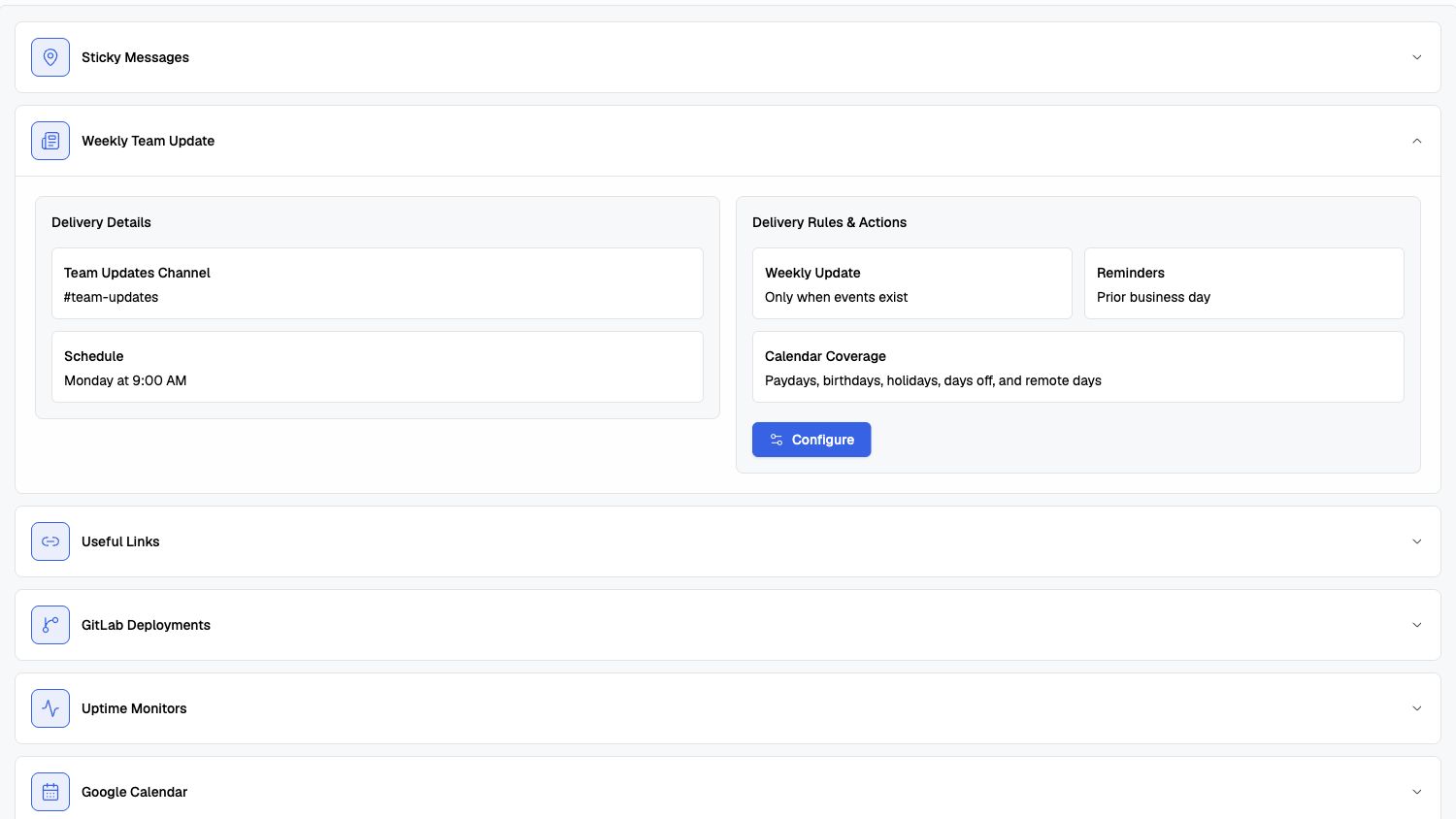
Prepare a Monday Slack brief with paydays, birthdays, holidays, days off, and remote days, with optional reminders on the prior business day. Teams can also keep reusable forms with secure download links in a shared library.
To enable updates, go to Bot > Features > Weekly Team Update.
Navigation and Profile
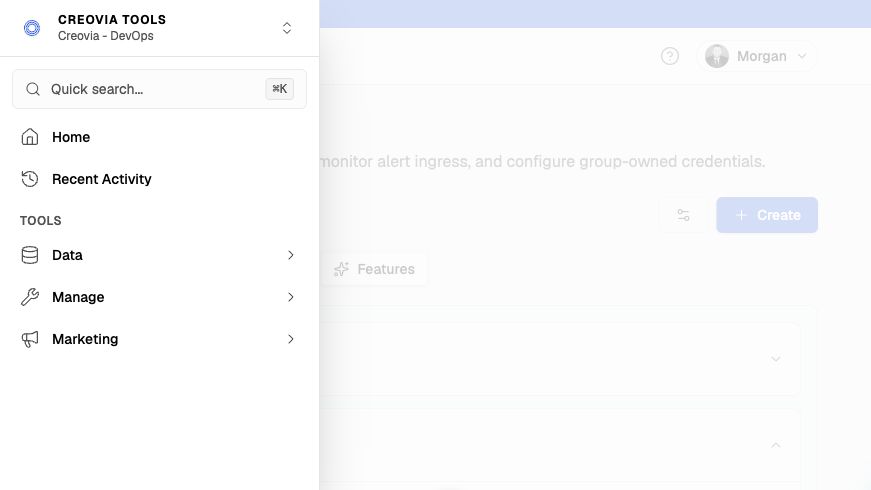
Reach Home, Recent Activity, search, workspace switching, Help, and every tool from one mobile drawer. Your active workspace now stays visible in the blue utility bar above your profile, and Profile Settings save changes automatically.
Tap the menu button in the mobile navbar to open the drawer.
Release Summary
- XL Compare adds CSV support, guided reconciliation, team templates, and focused exports.
- Maps adds visual saved-view framing, coordinate selection, previews, and copy-ready embeds.
- Quote Generator adds Sticky Notes, reusable proposals, flexible billing periods, and pre-export proposal checks.
- Bot adds scheduled Weekly Team Updates, while Slack gains a shared library for reusable forms and secure downloads.
- File Manager adds Visualize automation maps with route health, recent logs, image export, and responsive navigation, plus free file and database workflows across FTP, FTPS, SFTP, S3, MySQL, and Postgres.
- Systems Bridge adds live machine and container logs, saved scopes, metrics, range filtering, long-term history, and a responsive operations dashboard.
- Activity Manager adds workspace-aware filters, inline audit trails, and preserved deletion history, while public Release Notes gain authored summaries and readable version URLs.
- Creovia Tools MCP securely exposes profile, workspace, module-access, and workspace-switching tools to supported AI clients through the same account permissions.
- Navigation keeps the active workspace beside the member profile, adds complete authenticated and public mobile navigation, and auto-saves Profile Settings.
- Shared local timestamps, synchronized table scrolling, automatic sign-in recovery, and actionable error reference codes make daily work easier to read and troubleshoot.